





Most organizations don’t replace office technology because something breaks. They replace it because the way people work has changed.
Employees become more mobile. Departments grow. Workflows become more digital. Security requirements increase. Yet many organizations continue relying on technology environments designed for a very different way of working.
Over time, those small mismatches can affect productivity, employee experience, and operational efficiency.
Small Problems Add Up
Many organizations don’t realize how much time is lost to everyday technology frustrations because employees simply adapt.
They resend print jobs. They search through email for the latest version of a document. They manually enter information that already exists elsewhere. They wait for shared devices to become available or create their own workarounds when systems don’t communicate with one another.
Over time, these extra steps become normal, even though they slow work down every day.
Office Technology Has Changed
Today’s office technology extends far beyond copiers and printers.
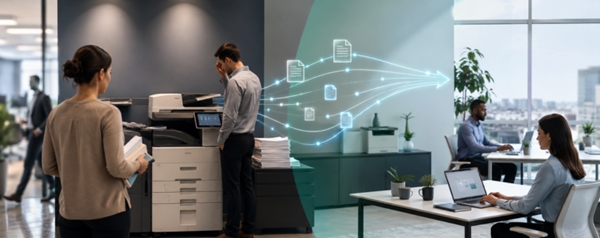
Modern organizations rely on connected systems that bring together Managed Print Services, document management, workflow automation, cloud applications, and business communications to help employees work more efficiently.
When those systems are properly aligned, information moves more easily throughout the organization. Employees spend less time searching, waiting, and repeating tasks, while IT teams spend less time responding to routine issues.
Signs It May Be Time for a Technology Assessment
Technology should support the way your employees work today, not the way your organization operated five or ten years ago.
It may be time to reassess your office technology if:
- Employees regularly wait for shared printers or multifunction devices.
- Common tasks require multiple manual steps.
- Documents move through email instead of automated workflows.
- Staff spend too much time searching for information.
- Service requests have become routine.
- Departments use different processes to accomplish the same task.
- Existing technology no longer supports hybrid work or changing business needs.
These issues don’t always require replacing equipment. Sometimes the biggest improvements come from optimizing existing technology, improving workflows, integrating systems, or providing additional user training.
Looking Beyond Individual Devices
Organizations often evaluate office technology one device at a time.
A better approach is to evaluate how people, technology, and information work together.
Questions worth asking include:
- Are employees using the right devices for the work they perform?
- Are documents moving efficiently between departments?
- Could repetitive manual tasks be automated?
- Are systems sharing information effectively?
- Does your current technology support the way your organization operates today?
Looking at the bigger picture often uncovers opportunities to improve productivity without dramatically changing the technology employees already use.
Technology Should Support Your Business
Office technology should make work easier, not create unnecessary frustration.
By periodically evaluating your technology environment, organizations can identify opportunities to improve productivity, simplify workflows, strengthen security, and better support employees across the business.
Ready to Take a Fresh Look at Your Office Technology?
If outdated equipment, disconnected systems, or inefficient workflows are slowing your organization down, KDI can help.
Every organization’s technology environment is different. KDI works with businesses throughout Pennsylvania, New Jersey, and Delaware to evaluate existing office technology, identify opportunities for improvement, and recommend solutions that support the way employees work today and as business needs evolve. As a family-owned company serving organizations since 1984, we’re focused on building long-term partnerships backed by local expertise, responsive support, and seven locations throughout the region.
Request an Office Technology Assessment →
Frequently Asked Questions
What is an office technology assessment?
An office technology assessment reviews your organization’s printers, document workflows, software, and supporting technology to identify opportunities to improve efficiency, productivity, and reliability.
Does an assessment always mean replacing equipment?
No. Many recommendations involve optimizing existing equipment, improving workflows, integrating systems, or updating processes rather than replacing devices.
How often should businesses review their office technology?
Many organizations benefit from reviewing their technology environment every few years or whenever they experience significant growth, staffing changes, or new business requirements.
What areas does KDI evaluate?
KDI evaluates print environments, document workflows, office technology, IT infrastructure, business communications, and related processes to identify opportunities for improvement.
Explore Related Topics
The Hidden Costs of Downtime →
Why Businesses Still Struggle to Find Information Quickly →
Why Approval Processes Slow Organizations Down →
Office Printer Management Strategies for Smarter, More Efficient Workflows →
File Conversion Services for OCR, PDFs, and Workflow Integration →
