







If you’re moving offices and have years of paper records to digitize, you face a different decision than a team that scans a stack of invoices every morning. Start with what you need to digitize, how often the work comes up, and how people will find and use the files afterward.
IMR Digital, a division of KDI Office Technology, can handle document conversion projects and ongoing scanning for you. KDI can also help you choose equipment for the documents your team scans in-house.
Which scanning option fits your needs?
- Professional scanning and conversion services can help when you have an archive to digitize, specialty materials to convert, or recurring scanning you’d like someone else to handle.
- A multifunction printer (MFP) can handle signed forms, receipts, and occasional small batches on the same device your team uses to print and copy.
- A dedicated document scanner may make sense when your team processes frequent batches or a steady flow of incoming documents in-house.
Outsource document scanning and conversion with IMR Digital
A records room full of files can turn into a sizable project once you account for preparing the documents, scanning them, checking the images, and organizing the digital files. The same work can take up staff time week after week when new paperwork keeps coming in.
IMR Digital supports several ways to tackle the work.
- Archive conversion. Digitize a collection in one project or work through it in phases with Scan-to-Zero, based on your volume and priorities.
- Ongoing scanning. Set up a recurring process to digitize new paperwork as it comes in.
- Scan on Demand. Request digital copies of specific records as you need them while the rest of the collection stays in storage.
- Specialty scanning. Convert materials such as blueprints, maps, engineering drawings, microfilm, microfiche, and bound volumes.
If you’re looking at years of paper records, start with the files your team asks for most often or spends the most time tracking down. That gives you a manageable first batch to price and digitize. You can work through the rest in phases as your budget allows.
Before scanning starts, think about how staff look up a record today. If they usually search by client name and date, those details can guide how the files are indexed. Depending on the project, IMR Digital can also apply optical character recognition (OCR) so staff can search the text within the scanned documents.
Explore IMR Digital’s Scanning & Conversion Services →
Use a multifunction printer for everyday office scanning
If your team already uses a multifunction printer to print and copy, it may have everything you need to scan signed agreements, expense receipts, or a few documents for another department.
Look at what staff do after they press Scan. If they routinely email files to themselves, rename them, and move them to a shared folder, a shortcut or a shared scan destination on the device may save time.
Explore Copiers, MFPs & Printers →
Consider a dedicated scanner for frequent batches
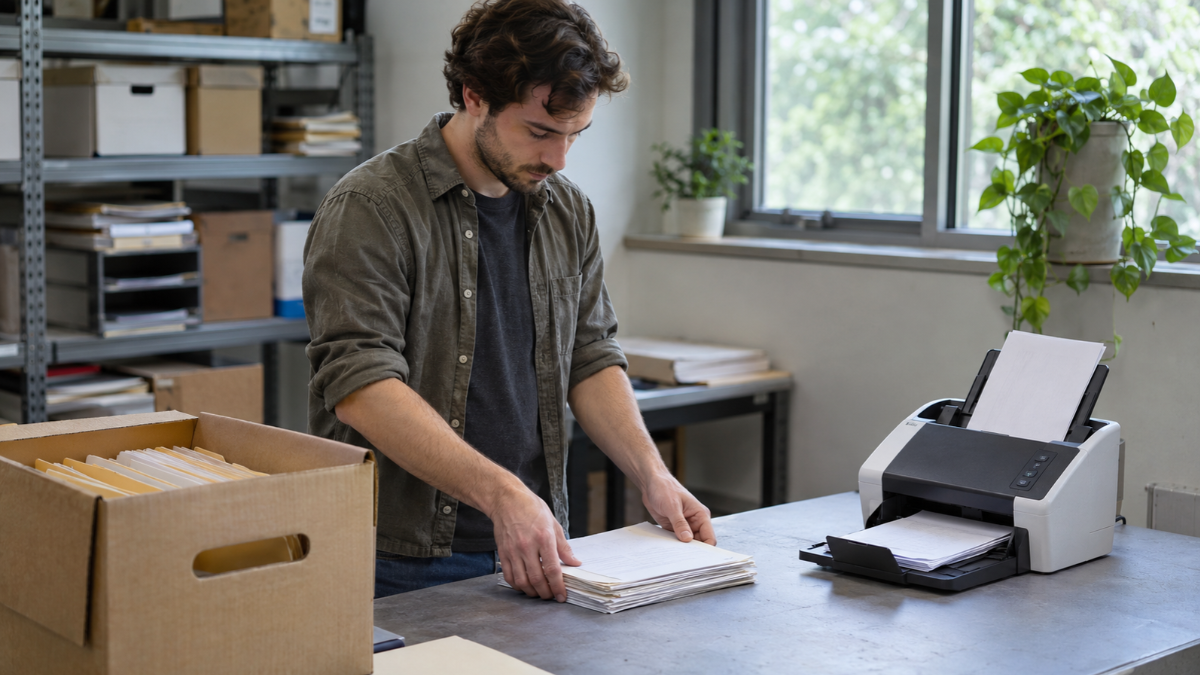
If someone scans batches of invoices, applications, or incoming correspondence every day, look at the whole job. Staff may spend time removing staples, sorting mixed paper sizes, checking images, and saving the files where they belong.
When comparing equipment, use a batch your team actually handles. A stack of uniform pages tells you less than a batch with small receipts, full-size invoices, and documents printed on both sides.
When comparing equipment, use a batch your team actually handles. A stack of uniform pages tells you less than a batch with small receipts, full-size invoices, and documents printed on both sides.
Then consider what happens to the files. An accounts payable team may need to capture invoice numbers for review, while a records team may need to store searchable files. KDI can help you set up a document management system so your team can organize, find, and route scanned documents.
Before you choose, look at a typical week
Pick a batch your team handles regularly and follow it from the moment the paper arrives to the moment someone can find and use the digital file.
- Volume. How much comes in on a normal day? Do batches grow at month-end or during a busy season?
- Preparation. How much time goes into removing staples, sorting paper, or checking for missing pages?
- Retrieval. Will people search the text, look up a record by invoice number, or find it in an existing system?
- Staff time. Who scans the documents, checks the files, and corrects anything that was missed?
If the slowdown is waiting for a shared office copier, a dedicated scanner may help. If the work is mainly preparing and indexing years of archived records, outsourcing may free up more staff time.
Frequently asked questions
Can we outsource our backlog and still scan new documents in-house?
Yes. Your team might use its MFP for signed forms, a dedicated scanner for daily invoice batches, and IMR Digital for boxes of archived records. If those files will live in the same system, agree on file formats, naming, and indexing ahead of time so staff can find records from either source.
Will scanned documents be searchable?
They can be. OCR lets people search for words within a scanned document. Indexing helps them find a record by specific details such as a client name, invoice number, or date. Some projects benefit from both.
Let’s talk about your scanning needs
Tell us what you’re scanning, how much you have, and how your team needs to use the files. KDI and IMR Digital can help you decide what makes sense to scan in-house and what you’d like us to handle.
Let’s Talk About Your Scanning Needs →
Explore Related Solutions
- Intelligent Data Capture for capturing information from invoices, forms, and other documents.
- Enterprise Content Management for organizing, retrieving, and routing digital records.
