





Having an IT provider should mean more than having someone to call when something breaks.
The right Managed IT provider should be working behind the scenes to keep your technology running, identify potential problems, strengthen security, maintain critical systems, and help your business plan for what comes next.
In other words, you should be getting value from your IT provider even when everything seems to be working just fine.
If most of your interaction with your IT company starts when someone submits a support ticket, it may be worth asking what is happening proactively.
Monitoring Your Technology Before Problems Disrupt the Business
Many IT problems do not happen without warning. Slow performance, storage limitations, failing hardware, network issues, unusual activity, and other warning signs can often be identified before they turn into larger problems.
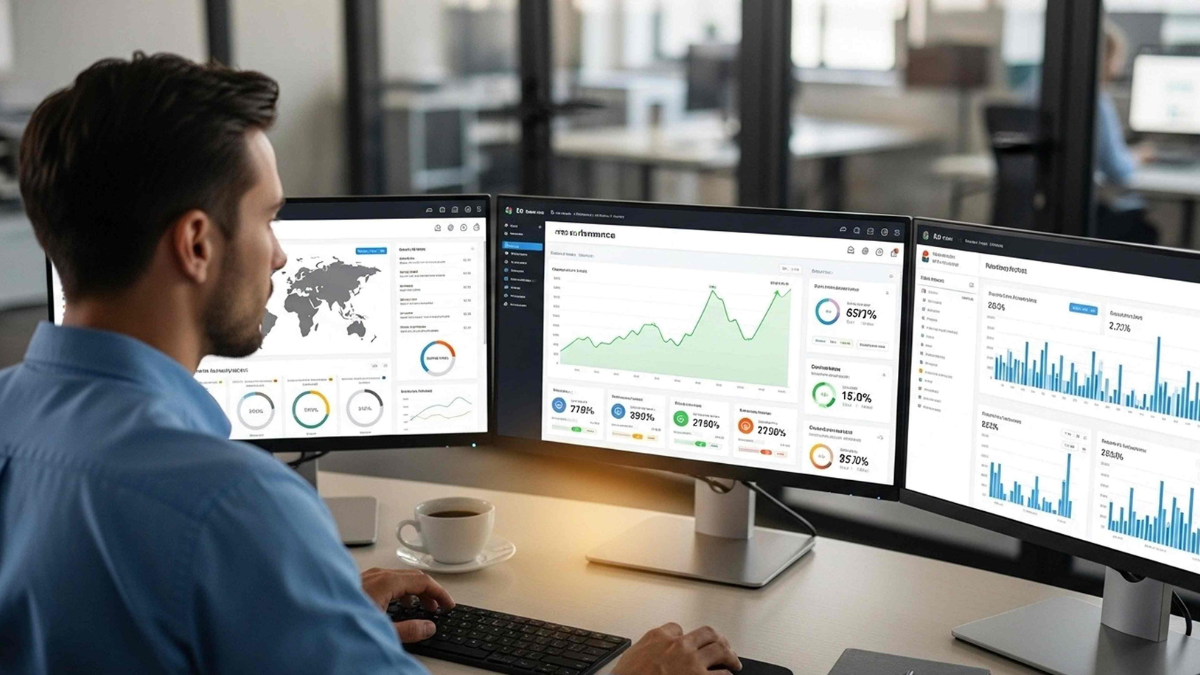
Ongoing monitoring gives your IT provider visibility into the health and performance of your technology environment. That allows them to address potential issues earlier, ideally before employees experience downtime or disruption.
This is one of the biggest differences between reactive IT support and a proactive Managed IT Services approach.
Keeping Systems Patched and Up to Date
Updates are easy to postpone when everything appears to be working normally. The problem is that outdated operating systems, applications, firmware, and devices can create both performance and security issues.
Your IT provider should have an established process for evaluating and deploying appropriate patches and updates across your environment. This should not depend on individual employees remembering to click “update” when a notification appears.
Keeping technology current is part of maintaining a healthy IT environment and reducing unnecessary risk.
Strengthening Cybersecurity Before There Is an Incident
Cybersecurity should not begin when an employee clicks a suspicious link or unusual activity is detected.
Your IT provider should be regularly evaluating how your organization protects users, devices, networks, email, applications, and business data.
That may include endpoint and network protection, email security, multi-factor authentication, identity and access controls, security monitoring, employee awareness, and backup protection.
The exact technology will vary from one organization to another. What matters is that cybersecurity is being actively managed as part of your overall IT strategy.
This is especially important today as employees access business systems from offices, homes, mobile devices, customer locations, and cloud applications.
Learn more about KDI Cybersecurity Solutions.
Related Reading: Is Your Microsoft 365 Environment as Secure as You Think?
Making Sure Your Backups Can Actually Be Recovered
A successful backup is important. Being able to recover from it is what really matters.
Your IT provider should be monitoring backups, addressing failures, and helping your organization understand what would happen if critical data or systems suddenly became unavailable.
Can your data be restored? How long would it take? Which systems would need to come back online first? Are your backups protected if your network is compromised?
Those are questions you want answered before an outage, cyberattack, hardware failure, or other disruption occurs.
A strong backup and recovery strategy is about keeping the business operating, not simply storing another copy of your data.
Learn more about Data Backup & Recovery.
Looking Beyond the Support Ticket
If employees are experiencing the same IT problem again and again, resolving each individual ticket is not enough.
Recurring slowdowns, connectivity issues, application problems, login difficulties, and equipment failures can point to a larger issue within the technology environment.
Your provider should be looking for those patterns.
Maybe equipment is reaching the end of its useful life. Perhaps there is a network bottleneck, a configuration problem, or an application that is no longer meeting the needs of the business.
The goal should be to understand why a problem keeps happening and determine whether there is a better long-term solution.
Managing Users, Devices, and Access as Your Business Changes
Your IT environment changes every time someone joins the company, leaves the company, changes roles, receives a new device, or needs access to another business application.
Those changes can add up quickly.
Your IT provider should help make sure users and devices are properly managed, access is appropriate, and former employees or outdated accounts do not retain permissions they no longer need.
This is increasingly important as businesses use more cloud applications and employees work from multiple locations. Access that made sense six months ago may not make sense today.
Planning Ahead for Technology Needs
Technology decisions are much easier when they are made before something fails.
A proactive IT provider should help you understand which systems are aging, where capacity may be getting tight, what technology may need to be replaced, and how upcoming business changes could affect your IT needs.
Are you adding employees? Opening another location? Moving more applications to the cloud? Replacing aging equipment? Changing how employees work?
Those conversations should happen before they become urgent.
Planning ahead also makes it easier to budget for technology instead of being surprised by an unexpected expense when a critical system reaches the end of its life.
Talking About Your Business, Not Just Your Technology
A good IT relationship should include conversations that go beyond computers, servers, and support tickets.
Your provider should understand where your organization is headed and how technology can support those plans.
Regular technology reviews provide an opportunity to discuss upcoming projects, security concerns, aging systems, recurring issues, business growth, and other changes that may affect your IT needs.
They can also uncover risks or opportunities that may never show up in a help desk ticket.
A Managed IT Security Assessment can take a closer look at your current environment, identify potential gaps, and help determine where improvements may be needed.
What Should Be Happening When Everything Is Working?
Quite a lot.
When there are no urgent IT problems, your provider should still be monitoring systems, maintaining technology, reviewing security, checking backups, managing updates, watching for recurring issues, and planning for what your business may need next.
Proactive IT does not mean problems will never happen. Technology can fail, threats continue to change, and businesses evolve.
The difference is that you are not simply waiting for something to go wrong.
If you are not sure what your current provider is doing proactively, ask them.
One simple question can start a useful conversation:
What are you doing today to help prevent the IT problems we could face tomorrow?
Is Your IT Support as Proactive as It Should Be?
If your IT relationship feels mostly reactive, or you are not sure what is being monitored, maintained, tested, and reviewed behind the scenes, it may be time to take a closer look.
KDI can evaluate your current technology environment, identify potential gaps, and help determine where a more proactive approach could improve reliability, security, and long-term planning.
Explore KDI Managed IT Services →
Request a Managed IT Security Assessment →
Frequently Asked Questions about Managed IT
What does proactive Managed IT mean?
Proactive Managed IT focuses on maintaining, monitoring, securing, and planning for your technology environment before problems disrupt the business. Instead of waiting for something to break, your IT provider works continuously to identify potential issues and reduce risk.
How is proactive IT different from traditional IT support?
Traditional or reactive IT support generally begins after a problem occurs. Proactive IT management includes ongoing monitoring, maintenance, security, planning, and other measures designed to reduce the likelihood and impact of IT problems.
Should my Managed IT provider be testing our backups?
Your provider should be concerned with more than whether a backup completed successfully. Recovery readiness matters too. Your organization should understand whether critical data and systems can be restored and what recovery would look like after a significant disruption.
Should cybersecurity be part of Managed IT Services?
Cybersecurity is an important part of modern IT management. The specific services will depend on your organization’s needs, but security should be considered across users, devices, networks, email, applications, identities, and business data.
Can a Managed IT provider work with our internal IT team?
Yes. A Managed IT provider can complement an internal IT department by providing additional expertise, monitoring, cybersecurity support, help desk coverage, infrastructure management, or other resources where needed.
How often should we meet with our IT provider?
There is no single schedule that is right for every business, but technology reviews should happen regularly. Your provider should be discussing changes in your business, upcoming projects, cybersecurity, aging technology, recurring issues, and future needs rather than waiting for you to initiate every conversation.
Related Reading
What Is Included in Managed IT Services?
A closer look at the services and support businesses can expect from a Managed IT relationship.
What to Look for in an IT Services Provider
Important considerations when choosing an IT provider or evaluating your current one.
You Have IT Support, But Is Your Business Actually Protected?
Why having someone available to fix IT problems is not necessarily the same as having a complete strategy for protecting your business.
You Have Backups. But Could You Actually Recover?
Why backup success and recovery readiness are two different things.
The Hidden Costs of Downtime: Where Productivity Slows Down
How downtime affects productivity, revenue, customer service, and day-to-day operations.
